Conversation Flows Response Actions
- Get Started
- Troubleshooting and FAQ
- Release Notes
- AI Agents
- Patient Channel
- Triggers
- Technical Specifications
- Patient Facesheet
- Insights & Analytics
- Conversation Flows
- Campaigns
- SMS Basics
- Inbox
- Lines & Resources Requests
- Lines, Events, Resources
- Referrals
- Add-Ons
- Users and Groups
- Platform Settings and Configuration
- Self-Rescheduling
- Recalls
- Artera Harmony Federal Edition
- Marketplace
Table of Contents
Add Mention and Message Set Patient Channel Status Set Patient Appointment StatusAccept Referral RequestDecline Referral RequestWhen adding Actions to Patient Responses in Conversation Flows, there are a set of system-defined options. The function of each Action is defined below:

NOTE: Any of the Actions above can be the final step in a Patient Response. When a Patient Response ends on an Action, the Action runs, the Conversation Flow completes, and no message is sent to the patient. Click here to learn how to build a Conversation Flow.
Add Mention and Message
Use this Action to tag and message Enterprise Users and/or Enterprise User Groups within a Patient Channel. You can mention multiple Enterprise Users/Enterprise User Groups with the same message on a single Action.
If you want to add separate messages for each Enterprise User/Enterprise User Group, you will need to create multiple actions. Adding an Internal Mention will place the relevant Patient Channel in a "Needs Action" status.
Set Patient Channel Status
Use this Action to open or close the Patient's Channel based on the patient's response. Open Patient Channels will appear in the "open" section of the "All Messages" view for staff to review.

Set Patient Appointment Status
Use this Action to update the patient's Appointment Status based on their response. You have the option to set the Appointment Status to confirmed, canceled, or rescheduled.

Accept Referral Request
NOTE: This Action is limited to customers deploying Referral Management.
When you select "Accept Referral Request," you will be asked to choose whether you would like to “Transfer to Referral Phone Line.” Choosing Accept Referral Request will write back the acceptance to your EMR.
Toggle this field on (purple) to transfer the phone call to the line that sent the Trigger (if the patient received a phone call).
Leave this field off (default) to keep the phone call on the current line.

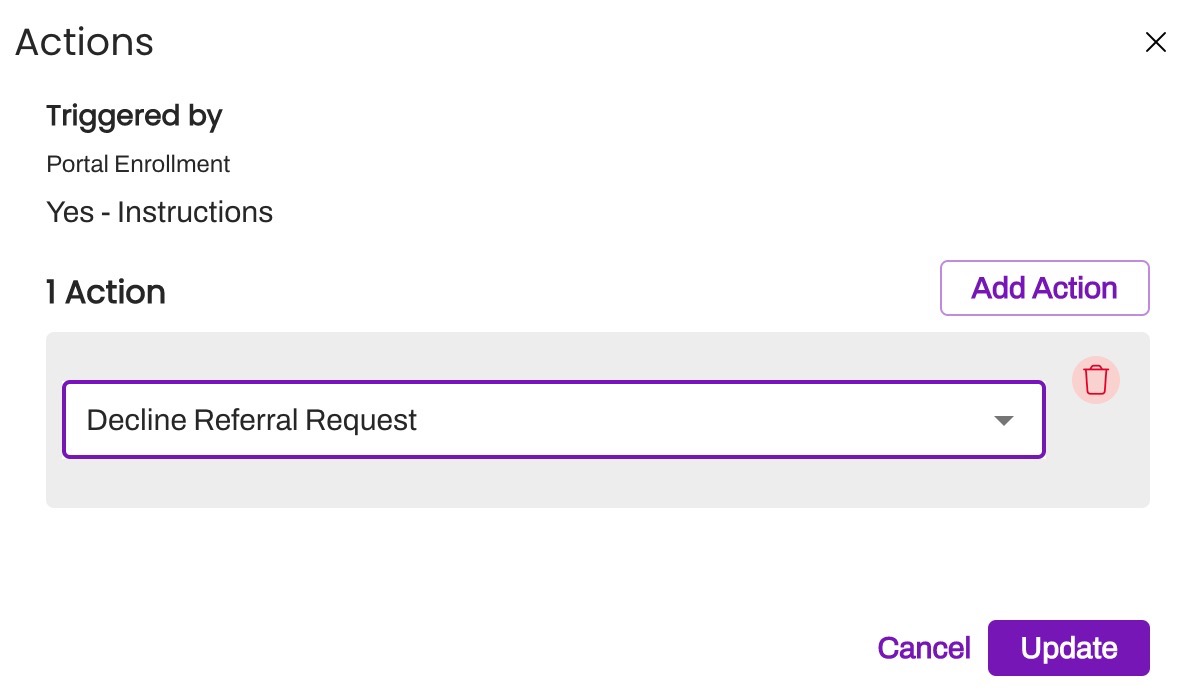
Decline Referral Request
NOTE: This Action is limited to customers deploying Referral Management.
When you select "Decline Referral Request," the patient response will automatically trigger the Referral Request to be denied and that status will be written back to your EMR.