Contact Us

If you still have questions or prefer to get help directly from an agent, please submit a request.
We’ll get back to you as soon as possible.

Please fill out the contact form below and we will reply as soon as possible.

  • WEBINARS
  • ARTERA ACADEMY
  • SUPPORT
  • RELEASES
  • STATUS PAGE
  • Home
  • Troubleshooting and FAQ

View Edit History

Contact Us

If you still have questions or prefer to get help directly from an agent, please submit a request.
We’ll get back to you as soon as possible.

Please fill out the contact form below and we will reply as soon as possible.

  • Get Started
    Getting Help Post-Implementation
  • Release Notes
    Release Notes: Artera Harmony Federal Edition
  • Triggers
  • Patient Channel
    Managing Appointments
  • Troubleshooting and FAQ
  • Patient Facesheet
  • Technical Specifications
    Artera Foundation Artera-Specific Features EMR Specifications
  • Insights & Analytics
    Insights Analytics Plus Self Service Analytics
  • Inbox
  • Conversation Flows
  • Campaigns
  • Lines & Resources Requests
  • Lines, Events, Resources
  • SMS Basics
  • Automations
    Appointment Automations Inbound Message Automations Recall Automations Referral Automations
  • Referrals
  • AI Agents
  • Add-Ons
    Call-To-Text/Abandoned Calls Community Outreach
  • Users and Groups
  • Platform Settings and Configuration
    Settings Forms
  • Self-Rescheduling
  • Recalls
  • Marketplace
  • Artera Harmony Federal Edition
    Conversation Flows | AHFE Triggers | AHFE Platform Settings & Configuration | AHFE Users and Groups | AHFE Patient Channel | AHFE Troubleshooting and FAQ | AHFE Patient Facesheet | AHFE Campaigns | AHFE Lines, Events, Resources | AHFE Get Started | AHFE Inbox | AHFE Release Notes | AHFE
+ More

Table of Contents

Practice-level Edit History Enterprise-level Edit HistoryTrigger Edit History

Track important updates made to user profiles, Events, Resources, and Triggers through detailed edit histories. 


Delete

Deleted Users

When you delete a user from Artera, any edits they have made to the platform will be erased from the edit history. Re-adding the user will restore their history entries.

Practice-level Edit History

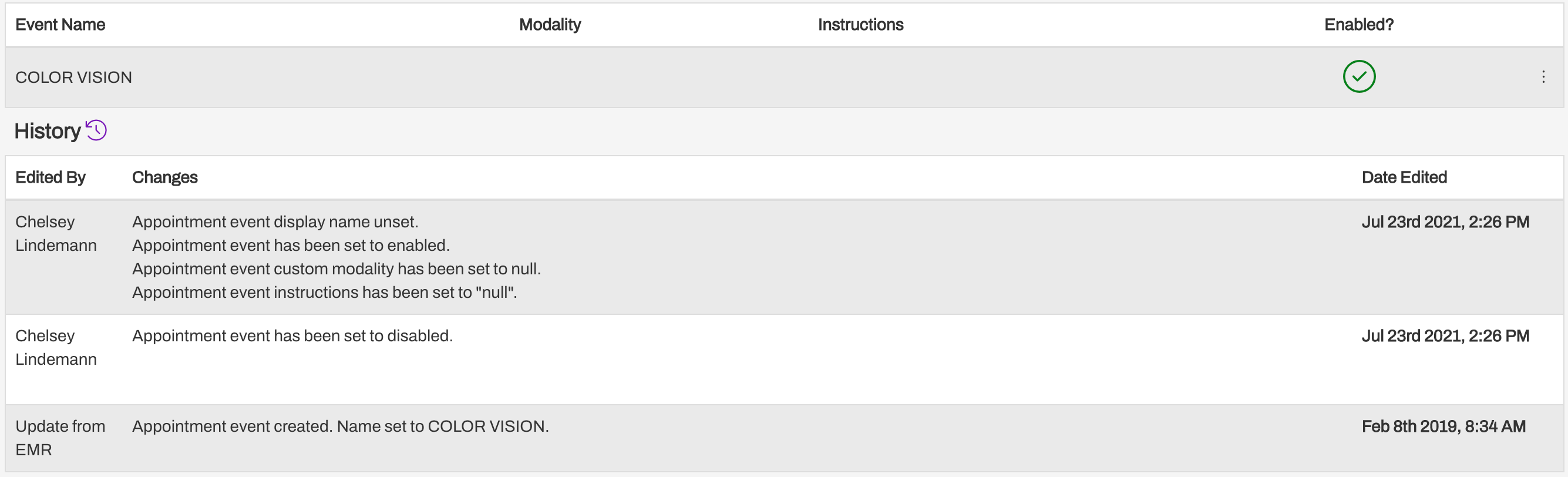
Enterprise and Manager-level users can view changes made to user profiles, Events, Resources, and Practice Automations by selecting the (...) menu for the list item and choosing View Edit History.
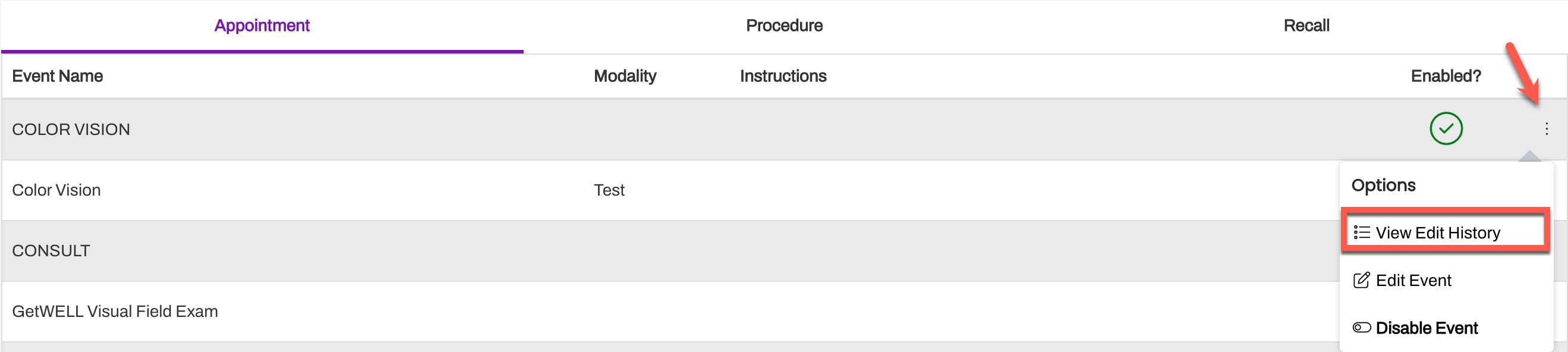
Each edit history contains the name of the user who made the edit, the changes made, and the date/time the edit occurred. 

Enterprise-level Edit History

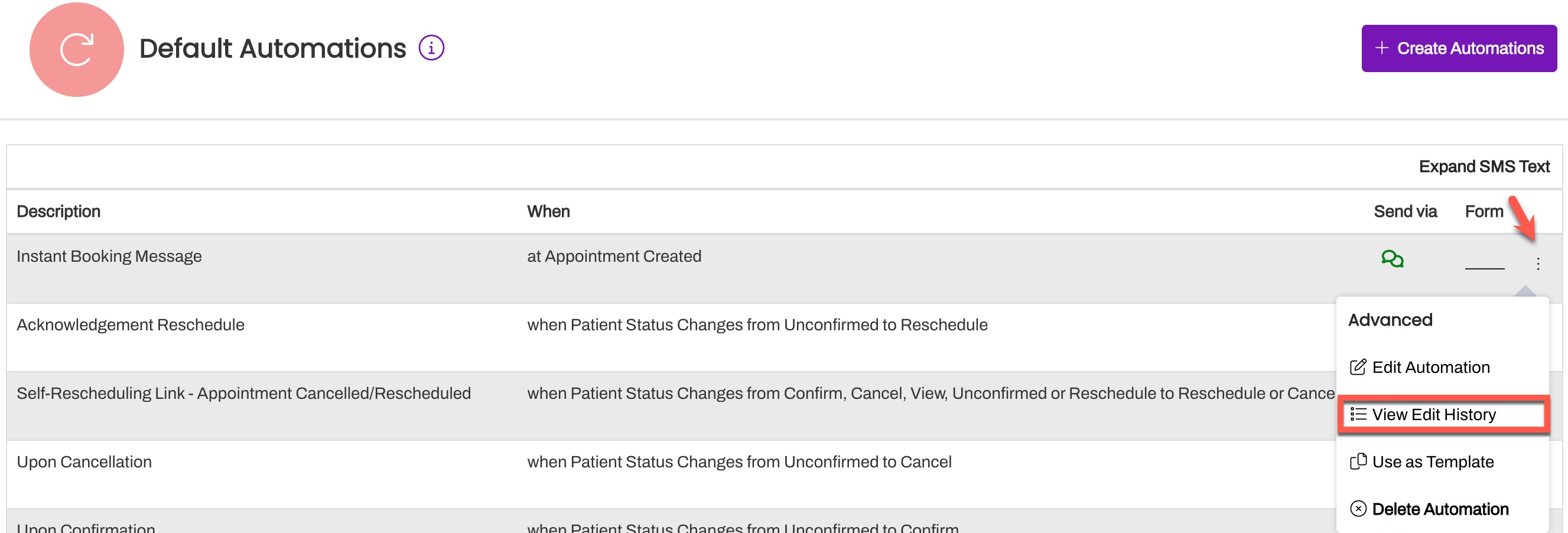
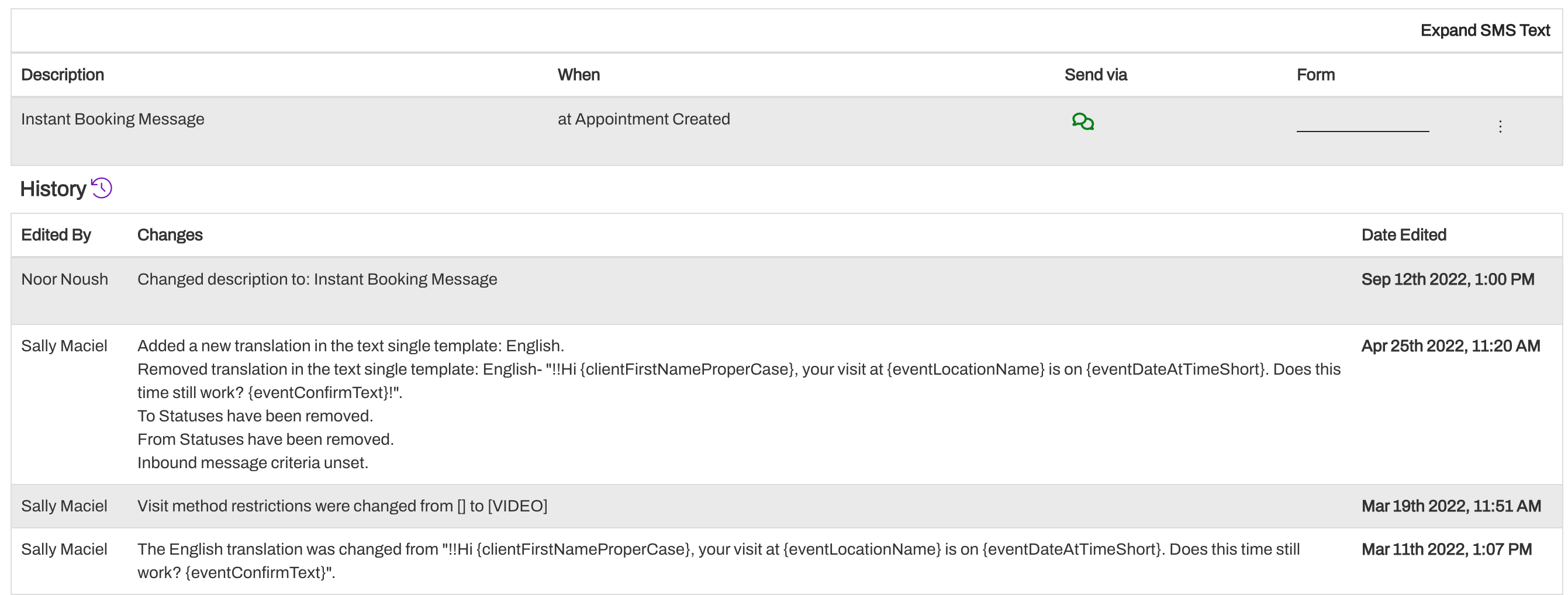
Within Enterprise Settings, Enterprise Users can view the edit history for other Enterprise Users and Default Automations by selecting the (...) menu and choosing View Edit History.

Each history contains the name of the user who made the edit, the changes made, and the date/time the edit occurred.
Trigger Edit History

To view changes made to a Trigger, navigate to the Triggers page then select the purple hyperlink within the "Last Updated" column. This will display the edit history for that Trigger. 


history edit log changes made change history

Was this article helpful?

Yes
No
Give feedback about this article

Related Articles

  • Icons and Color Codes in Artera
  • Artera Support Case Portal
  • Troubleshooting SSO Login Issues
© 2025 Artera. All Rights Reserved.
Artera.io | Privacy Policy | Terms of Service | Cookie Policy | Do Not Sell My Personal Information

Knowledge Base Software powered by Helpjuice

Expand